Chrome · Developer Tools

Find the secret
before someone else does.

GitSentinel scans GitHub repositories, pull-request diffs and CI logs for exposed API keys, tokens and credentials. Everything runs in your browser — nothing is uploaded.

20+ secret typesMasked by defaultNo serverSARIF export
Where it looks

Four places secrets leak

Repository scan

One click from the popup or side panel, plus automatic scanning of the page you are on. Findings grouped by severity.

PR diff scanner

Checks only the added lines in a pull request, so you see what a contributor is about to merge — including secrets "resolved later" in the same diff.

CI log scanner

Catches secrets echoed into GitHub Actions logs, with a 5 MB safety cap and local caching.

Paste Guard

Warns before you paste something that looks like a key into github.com. The cheapest moment to stop a leak.

20+secret types
0uploads
30sauto re-mask
3export formats
Remediation

Finding it is half the job

Each finding comes with a Fix-It guide: rotate the credential, add the full repo-relative path to gitignore, move the value to an env var, or purge it from history with git filter-repo. An accept-risk baseline lets you triage once and keep the noise out of future scans.
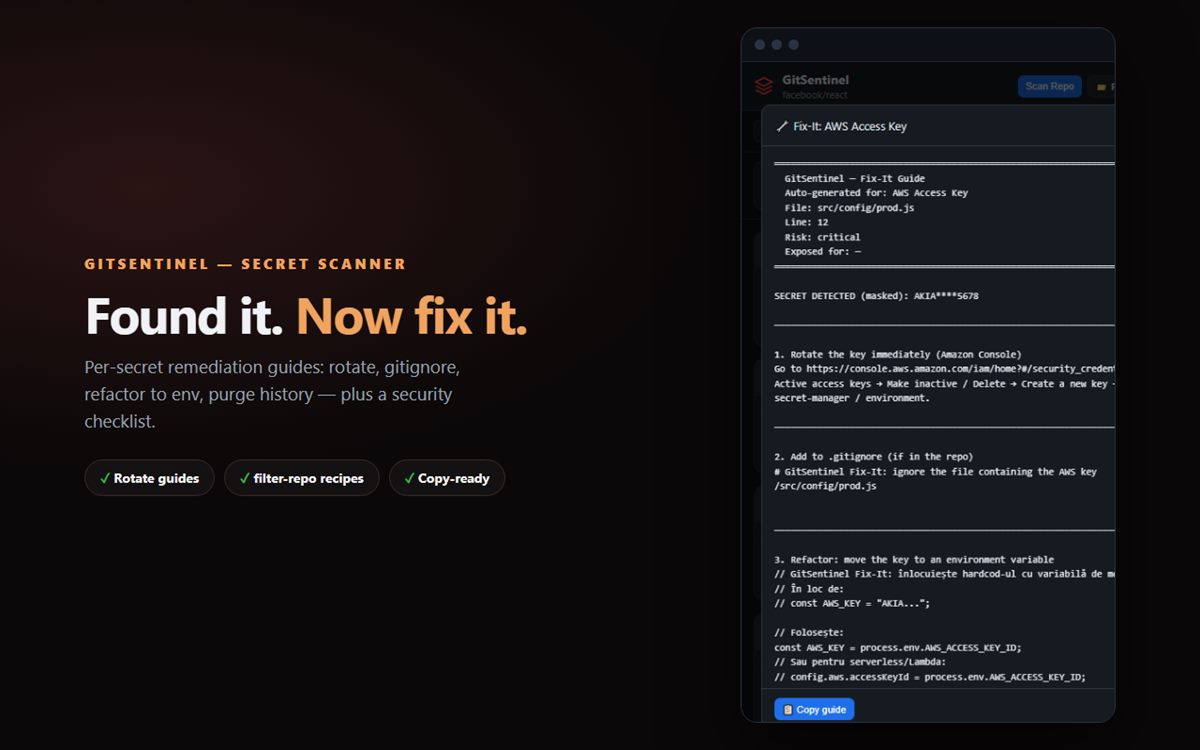
Fix-It guidance
Fix-It: what to do after the scan, per finding type.
Screenshots

Masked until you ask

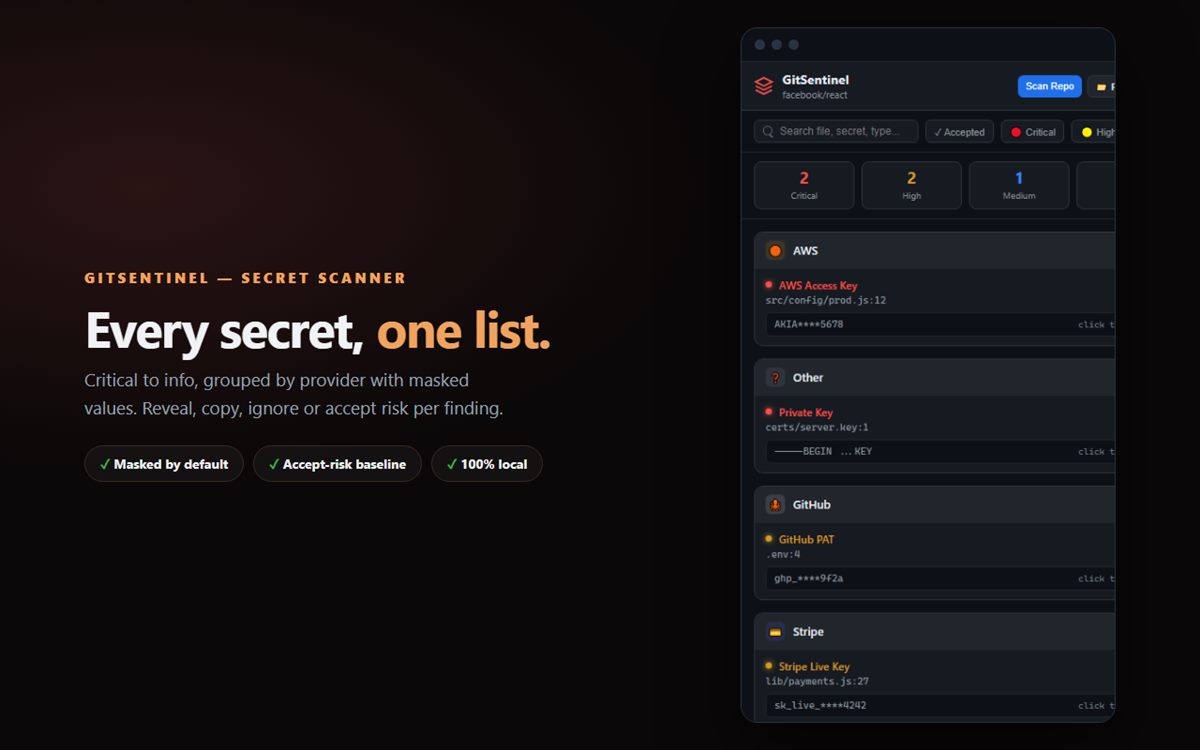
Side panel with findings
Findings in the side panel: severity, file, masked value.
Search and filters
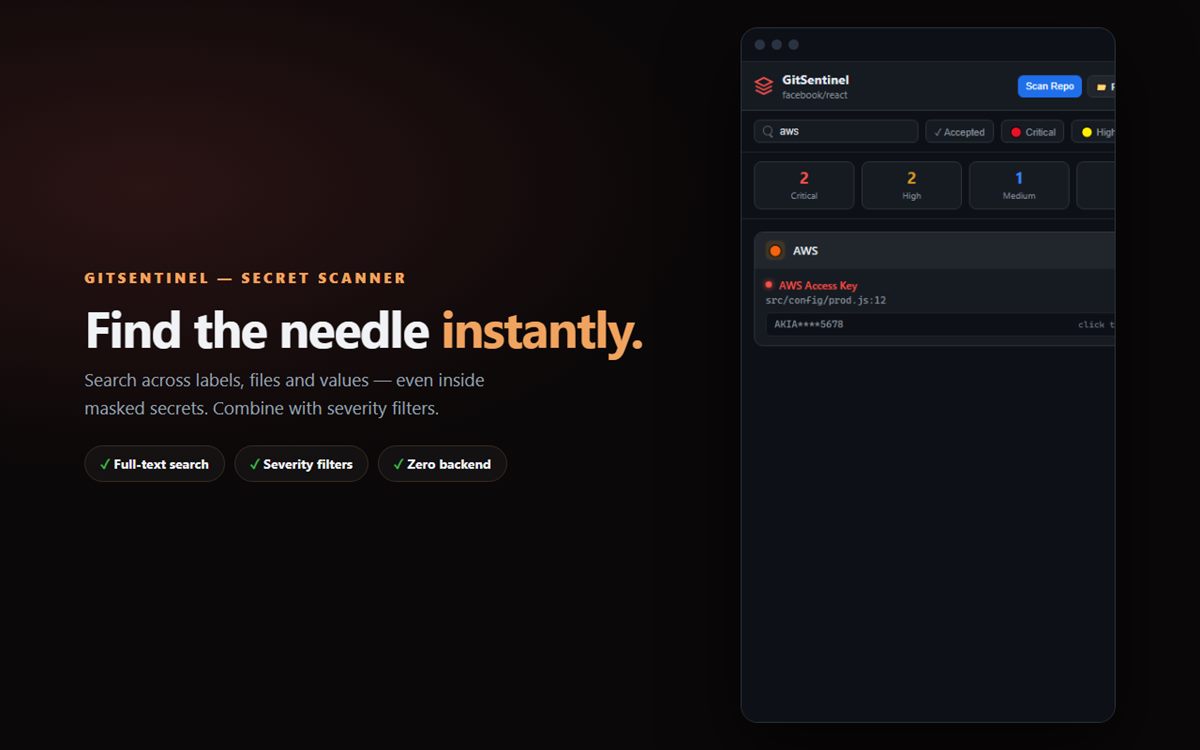
Full-text search and severity filters across every finding.
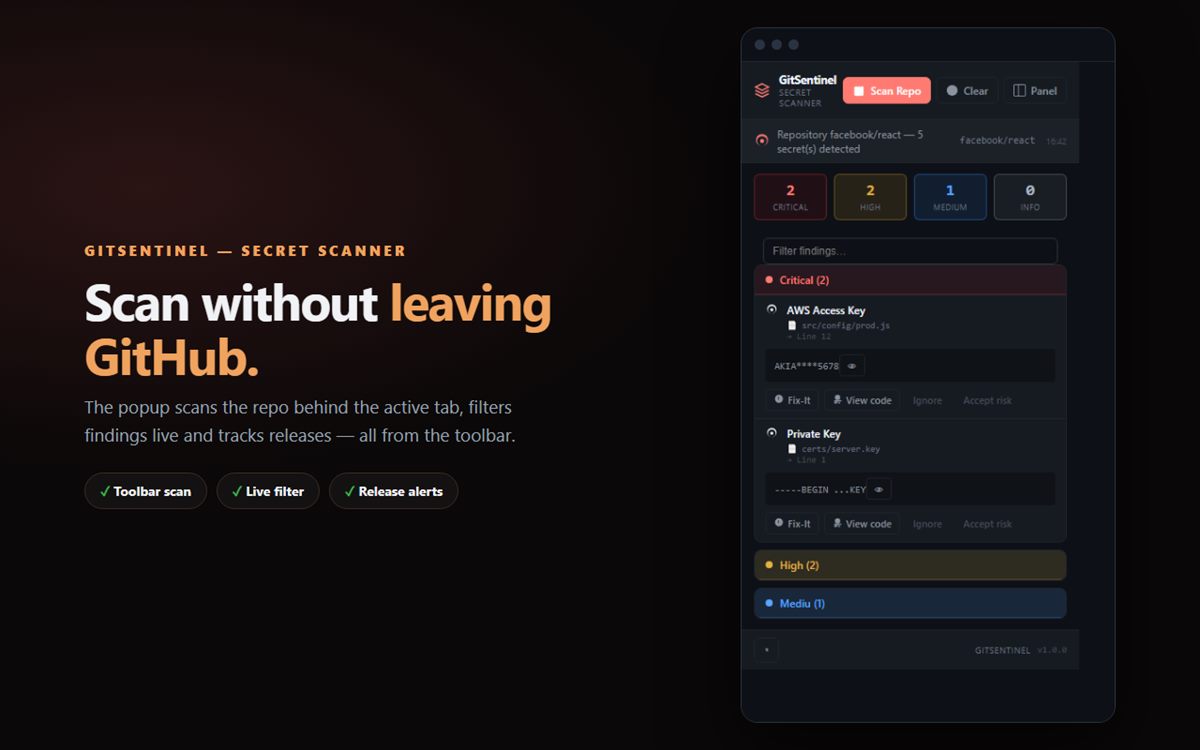
Popup
Scan the current repo from the toolbar.
Privacy

Your secrets stay yours

Findings are stored masked only — raw values never touch chrome.storage. No accounts, no servers, no analytics. The only network calls go to GitHub's public API for content you already have access to, and an optional token raises your API budget (and unlocks private repos).

Not affiliated with, endorsed by, or sponsored by GitHub, Inc. GitHub is a registered trademark of GitHub, Inc.